Digital Organization That Actually Sticks (Unlike My First Attempts)
Last Tuesday, I spent twenty minutes looking for a lesson plan I knew I had saved somewhere. Was it in my Google Drive? My desktop folder labeled "Math Stuff"? That random flash drive from 2019?
Ay, dios mío. There I was, kids lining up outside my door after lunch, and I'm clicking through seventeen different folders like I'm hunting for buried treasure.
If this sounds familiar, you're not alone. After 22 years of teaching and approximately 47 failed attempts at digital organization, I've finally figured out what actually works. And more importantly, what doesn't.
Why Our Digital Lives Are Such a Mess
Let's be honest. We became teachers because we love kids and learning, not because we're tech wizards. Most of us learned digital organization on the fly, creating systems that made sense in the moment but turned into digital disasters over time.
I used to have folders within folders within folders. My Google Drive looked like a Russian nesting doll situation. "4th Grade" contained "Math" which contained "Fractions" which contained "October 2023" which contained... you get the picture.
The problem? When you're trying to find that perfect equivalent fractions activity at 7:30 AM with coffee number one barely kicked in, you can't remember if you filed it under "Math/Fractions" or "October Lessons" or "Fun Activities."
The Three-Folder Rule That Changed Everything
Here's what finally worked for me, and it's embarrassingly simple.
I organize everything into just three main folders:
- This Year (everything for the current school year)
- Archive (previous years' materials)
- Resources (things I use across multiple years)
That's it. No more endless subfolder rabbit holes.
Inside "This Year," I have exactly four folders: Reading, Math, Science/Social Studies, and Admin Stuff. Each subject folder has monthly subfolders (August, September, etc.), but I stop there. If I need to get more specific, I use clear file names instead of more folders.
File Naming That Actually Makes Sense
This is where most of us go wrong. We save things with names like "Worksheet1" or "Good activity" or my personal favorite disaster, "Use this one NOT the other one."
Now I use a simple formula: Subject_Topic_Type_Date
Examples:
- Math_Fractions_Worksheet_Oct2024
- Reading_MainIdea_CenterActivity_Sept2024
- Math_Multiplication_AssessmentPrep_Nov2024
It feels tedious at first, pero trust me on this. When you're looking for that multiplication assessment prep in February, you'll find it in seconds.
The Sunday Reset (Your New Best Friend)
Every Sunday evening (okay, fine, sometimes Monday morning with my second cup of coffee), I do a quick digital cleanup. It takes maybe ten minutes, but it saves me hours during the week.
I move any random downloads from my desktop into the right folders. I delete screenshots I don't need anymore. I make sure anything I created that week has a proper name and location.
My husband Carlos thinks I'm crazy for doing this, but he also labels every wire in our garage, so we're even.
Google Drive Tricks That'll Save Your Sanity
If you're using Google Drive (and let's face it, in Florida schools, you probably are), here are some game-changers:
Star everything you use regularly. That reading assessment rubric you reference constantly? Star it. Your go-to math warm-up template? Star it. Starred items show up at the top of your drive, no hunting required.
Use the search bar like your life depends on it. Google's search is incredibly powerful. You can search by file type ("type:pdf fractions"), by date ("math activities before:2024-01-01"), or even text within documents.
Share folders with yourself. This sounds weird, but hear me out. Create a shared folder for each subject and share it with your personal Gmail account. Now you can access your teaching materials from home without the district login dance.
The Desktop Rule I Wish Someone Had Told Me
Your computer desktop is not a filing cabinet. It's a temporary workspace.
I used to have so many files on my desktop that I couldn't even see my background picture. Now I follow the "one week rule." Anything that's been on my desktop for more than a week either gets filed properly or deleted.
The only things that live permanently on my desktop are shortcuts to my most-used folders and applications. Everything else is just passing through.
Phone Organization (Because We All Use Our Phones for Everything)
Let's talk about those 847 photos on your phone that are half classroom activities and half pictures of your lunch.
I create albums for each month and each subject. When I take a picture of student work or a bulletin board idea, it goes straight into the right album. No more scrolling through three months of photos to find that anchor chart you want to recreate.
Also, use your phone's notes app with intention. I have separate notes for "Things to Remember for Tomorrow," "Great Ideas I Don't Want to Forget," and "Stuff to Buy for Classroom." Much better than seventeen random sticky notes scattered across my desk.
Making It Stick When Life Gets Crazy
The real test of any organization system is October. You know what I mean. When the honeymoon phase of the new school year is over, you're drowning in data meetings, and someone decides it's the perfect time to change the lunch schedule.
The key is making your system so simple that you can follow it even when you're running on fumes and determination.
That's why I keep my folder structure simple. That's why my file naming is formulaic rather than creative. When I'm overwhelmed, I don't have to think. I just follow the system.
Your Turn to Try
Start small. Pick one area that's driving you crazy and apply these ideas. Maybe it's your Google Drive. Maybe it's the photos on your phone. Maybe it's just getting your desktop under control.
Don't try to organize everything at once. We both know how that story ends (usually with you staying up until midnight and being grumpier than a kindergartner who missed snack time).
Remember, the best organization system is the one you'll actually use. It doesn't have to be perfect. It just has to work for you, your teaching style, and your beautifully chaotic educator life.
What's one digital organization challenge that's been driving you crazy? Sometimes just naming the problem out loud is the first step to solving it.
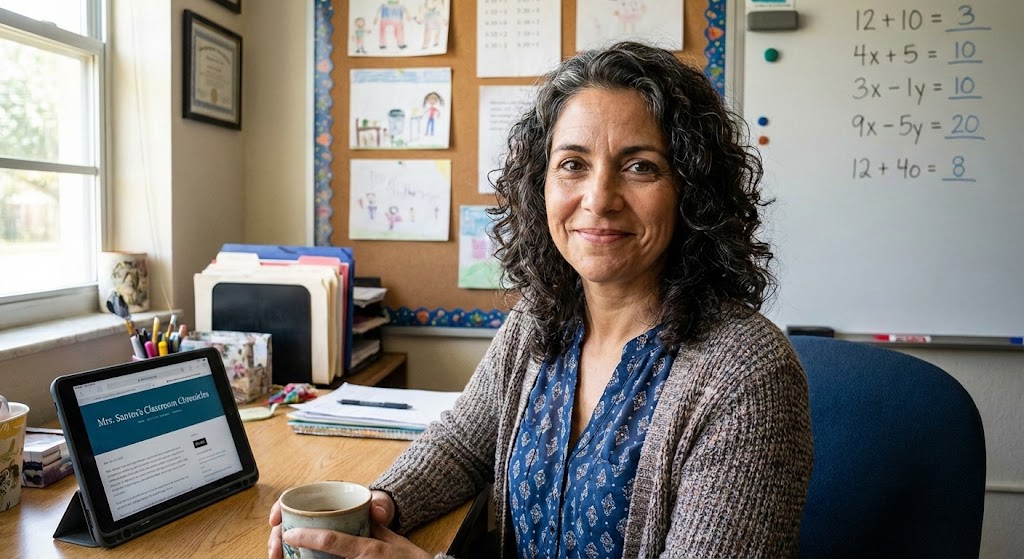
Maria Santos
Maria has been teaching 4th grade in Tampa, Florida for 22 years. Known as "the math whisperer" among her colleagues, she writes about the real challenges and victories of teaching in Florida's public schools.
When she's not grading papers or creating lesson plans, you can find Maria at her local teacher supply store (with coupons in hand) or sharing teaching tips over cafecito with her teacher friends.
View Full Profile →Related Articles
Digital Organization That Actually Sticks (Finally!)
Classroom tech tip: Last Tuesday, I watched my colleague Jennifer frantically clicking through seven...
The Only 5 Apps I Actually Use (And Why Most Others Collect Digital Dust)
Classroom tech tip: Last week, my principal asked me to present at our faculty meeting about "essent...
Ready to Improve Your FAST Scores?
Upload your class data and get personalized IXL success plans in seconds.
Try It Free